
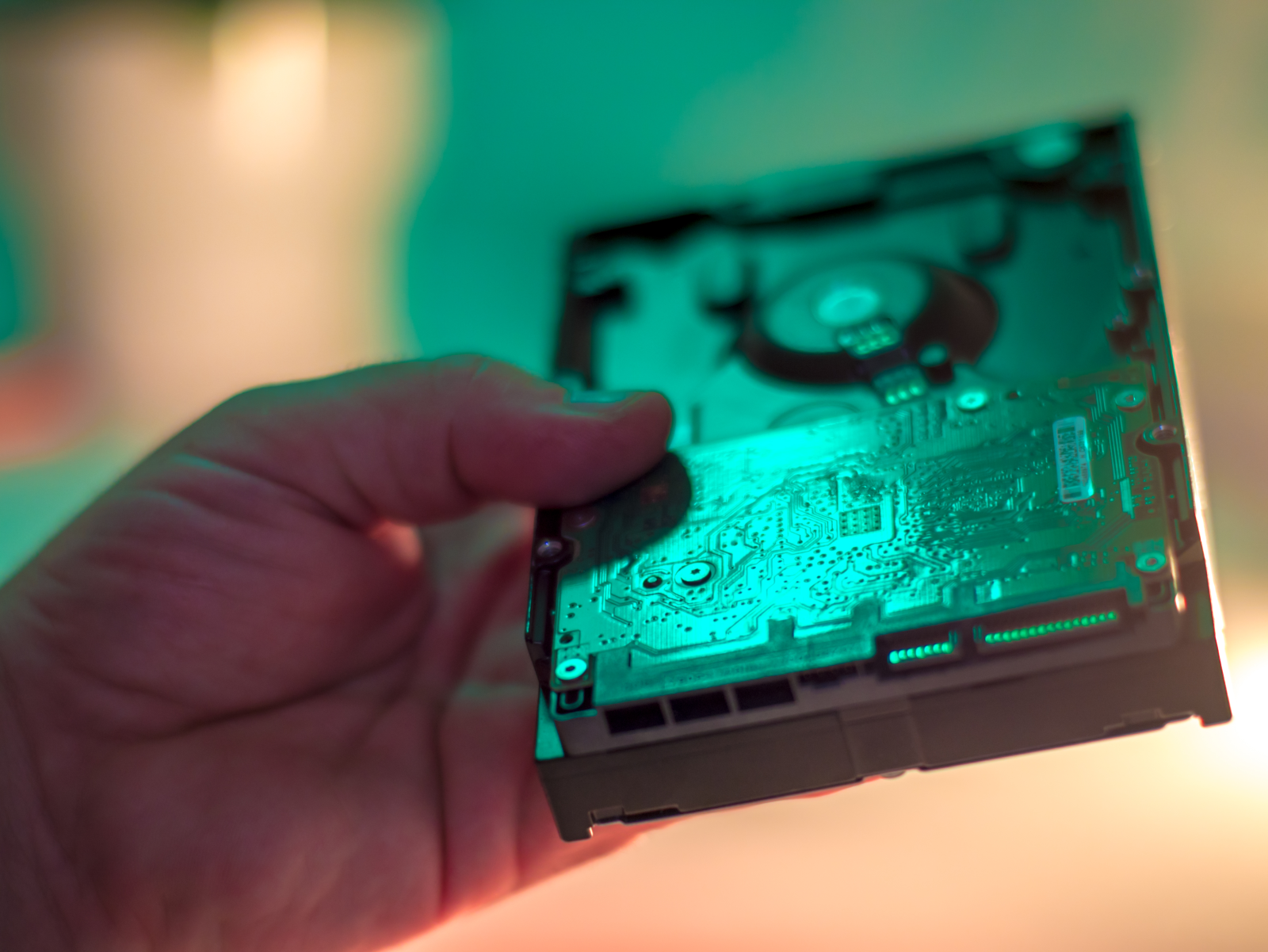
Secure Data Destruction for Retired IT Assets: What Your Business Needs to Know
Secure Data Destruction for Retired IT Assets: What Your Georgia Business Needs to Know
Businesses throughout Georgia routinely retire laptops, servers, hard drives, networking equipment, and other IT assets as technology is upgraded. Most have a closet, storage room, or other small area dedicated to storing retired devices.
You know how it goes. Your company undergoes a technology refresh to run more efficiently, but is suddenly burdened with what to do with the old equipment, so it’s put aside. And the equipment sits, often forgotten until the next tech refresh.
The problem is that without secure data destruction, the equipment could fall into the wrong hands. Customer records, contracts, payroll files, and financial data likely exist on those drives. And information that some might consider “old” or “irrelevant” can actually be valuable to data scavengers or identity thieves.
Improperly disposing of retired IT equipment can lead to trouble with regulators or make you more vulnerable to a lawsuit if sensitive information is exposed.
Secure data destruction can prevent unwanted consequences.
Data Hides in More Places Than You Might Realize
Laptops and servers are obvious sources of data. But these other sources might surprise you.
● Copiers and printers often store faxes, scanned documents, and print jobs on internal hard drives. A leased copier, for example, is a common blind spot. It can go back to the vendor with sensitive information and remain long after you’ve forgotten about it.
● Routers, firewalls, and switches retain VPN keys, configurations, and network information. This can put a lot of information about your infrastructure into the wrong hands.
● Smartphones and tablets contain saved passwords, email, contacts, and cached files.
● External hard drives and backup tapes often have stored information going back years.
● Point-of-sale terminals usually store cardholder data. This is one of the most significant risks for businesses.
One of the first steps to mitigating the risk of retired IT assets is to inventory the devices. If you need to verify destruction or sanitization at a later date, you can be more sure that each device is accounted for.
Before anything gets picked up, inventory it. You can't verify destruction of assets you never recorded.
Secure data destruction is a process that permanently removes sensitive information from computers, laptops, hard drives, servers, mobile devices, and other electronic media.
Proper data destruction ensures that unauthorized individuals cannot access or recover data on your old devices.
Some department heads are under the mistaken belief that deleting files or reformatting drives sufficiently protects confidential information.
Unfortunately, this isn’t the case. In those situations, the underlying data still exists and can be accessed by malicious players.
Real and effective data destruction involves sanitizing the data and/or physically destroying the devices.
Data Sanitization
Data sanitization usually involves securely erasing, overwriting, or using encryption to make the data unreadable. A properly sanitized drive can often be reused, depending on the method used and the condition of the device.
Businesses and organizations should use a recognized and appropriate data sanitization process based on the type of storage device and the sensitivity of the information it contains. The National Institute of Standards and Technology (NIST) provides current guidance for media sanitization.
For Georgia businesses, working with a local reputable IT asset disposition (ITAD) provider can also simplify pickup, transportation, chain-of-custody documentation, and certified data destruction.
When working with an ITAD provider for secure data destruction services, make sure that you receive documentation showing that the sanitization process was completed. A Certificate of Sanitization provides an important record of the work performed and can help your company maintain an audit trail for retired IT assets.
Using an appropriate data destruction process can also help you meet your data protection obligations and demonstrate that sensitive information was properly handled when equipment was retired.
Physical Destruction
The physical destruction of drives means that devices are shredded, crushed, or otherwise physically destroyed so the storage media can no longer function or be reasonably reused.
Physical destruction is sometimes necessary when a storage device can’t be reliably sanitized, or when the sensitivity of the information calls for a higher level of protection.
Physical destruction provides an added layer of security because the storage device itself is destroyed, making the data extremely difficult to recover.
Physical destruction can provide peace of mind for businesses or organizations handling high volumes of sensitive customer information or other confidential files, such as financial services businesses, healthcare companies, or government agencies.
A reputable ITAD provider will document the destruction and provide a Certificate of Destruction for your records.
Which Method is Best?
Data-wiping software securely erases data from compatible storage devices, allowing working drives to potentially be redeployed or resold. The process takes time and isn’t appropriate for every type or condition of storage device.
The right ITAD partner can help you turn surplus IT assets into a source of recovered value.
Degaussing is another potential solution. It uses a powerful magnetic field to erase data stored on magnetic media, such as hard drives and tapes. A properly performed degaussing can make data on magnetic media inaccessible. Degaussing is not effective for SSDs or other flash-based storage devices, however.
Physical destruction of storage devices, through shredding or crushing, is the go-to method for SSDs, failed drives, highly sensitive data, and any situation where a definitive endpoint is essential. Industrial shredders reduce devices to small fragments, while crushers physically damage the storage components so the device can no longer function.
Many companies use a layered approach. They wipe equipment that can be safely reused or resold and physically destroy equipment that can’t. This approach balances data security with the opportunity to recover value from working equipment.
Secure Data Destruction: On-Site Vs Off-Site
On-site data destruction occurs at your business, often in a mobile shredding truck. Data never leaves your property. Organizations with strict compliance requirements or highly sensitive data often choose this route.
Off-site destruction involves the secure transport of your retired devices and equipment to a processing facility. This method usually costs less, and larger volumes are handled more efficiently through off-site data destruction.
Both work and are effective in achieving the end goal. Whichever method you choose, you’ll want to ensure complete chain-of-custody documentation from the moment the equipment leaves your hands to the moment the devices and equipment are destroyed.
What Your Certificate of Destruction Should Include
Before choosing an ITAD provider, ask them what they include on their Certificates of Destruction. A Certificate of Destruction should never be a one-line receipt containing general and non-specific information.
It should include the following:
● Serial numbers for every device or drive processed
● The method of destruction used
● The date and location where the destruction took place
● Name of the technician performing the work
● Company details and applicable certifications
● An authorized signature
Keep all Certificates of Destruction on file for easy access to maintain an audit trail at all times for auditors and regulators.
Common Mistakes When Retiring IT Assets
● Assuming data is unreadable from merely drilling holes in drives.
● Forgetting about retired IT assets while they’re in storage. Customer data still exists, and the chain of custody becomes non-existent, leaving the information vulnerable to theft.
● Skipping inventory. It’s vital to account for each retired device and list serial numbers, so it’s easier to prove that the devices have been destroyed when the time comes.
● Returning leased IT equipment without first ensuring that the data has been properly sanitized according to the lease agreement and your industry’s data protection requirements.
● Handing retired equipment off to an unvetted hauler. Before hiring an ITAD provider for your company's secure data destruction services, look for ISO and R2V3 certifications to ensure a responsible chain of custody.
Working With SouthEast Computer Recyclers
Based in Alpharetta, SECR provides secure data destruction and IT asset disposition services for businesses, schools, healthcare practices, government agencies, and other organizations throughout Atlanta, Alpharetta, and communities across Georgia.
Our process is straightforward: we schedule a pickup, inventory your equipment by serial number, destroy data using NIST-aligned methods, and issue a Certificate of Destruction once completed.
Working assets are evaluated for resale through our IT Asset Buy Back Program to help you recover additional revenue.
Whether you’re replacing and retiring three laptops or decommissioning an entire data center, the potential exposure risks exist until the data is gone.
Ready to securely retire your old IT equipment? Contact SouthEast Computer Recyclers to request a quote for secure data destruction, data sanitization, or IT asset pickup.
FAQs
1. What is secure data destruction?
Secure data destruction is the process of permanently removing or destroying sensitive information stored on computers, hard drives, servers, mobile devices, and other electronic media. It helps prevent unauthorized access to data when IT assets are retired, recycled, resold, or disposed of.
2. Will deleting files permanently destroy data?
No, it will not. It often leaves recoverable data behind and vulnerable to exposure. For permanent deletion of data, it’s vital to apply appropriate data sanitization methods or physically destroy the drives and equipment holding the data.
3. Should my business shred or wipe its hard drives?
It depends on the type and condition of the storage devices, the level of sensitivity of the data, and whether or not you plan to reuse the devices. Devices that are working can be securely sanitized, while failed drives or devices containing highly sensitive data may require physical destruction.

© 2026 - ITAD & Electronics Recycling Services. All Rights Reserved.
Site Credits: MediaLinkers